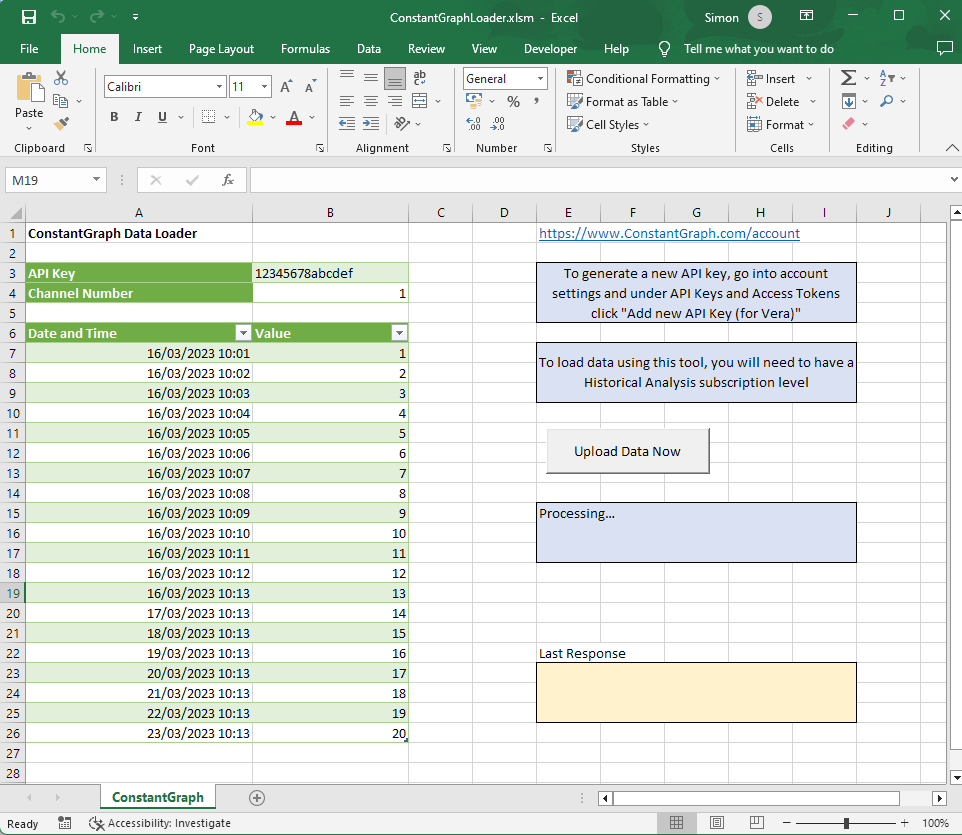
Example App
An example Excel app is provided which can be used to upload data into ConstantGraph via the API. As the Excel contains a VB Macro, you will need to enable the content for it to work.
You will need to have a Premium subscription for this to work as this will allow the import of historical data rather than just live data.
First you will need to generate an API key. This can be done from the account settings and under API Keys and Access Tokens click Add new API Key (for Vera).
Once you have your API Key enter it into the spreadsheet, add your data including the date/time and values and click the Upload Data Now button.
Once imported, you can change the name of the channel and its data type from the Channel Config menu.