
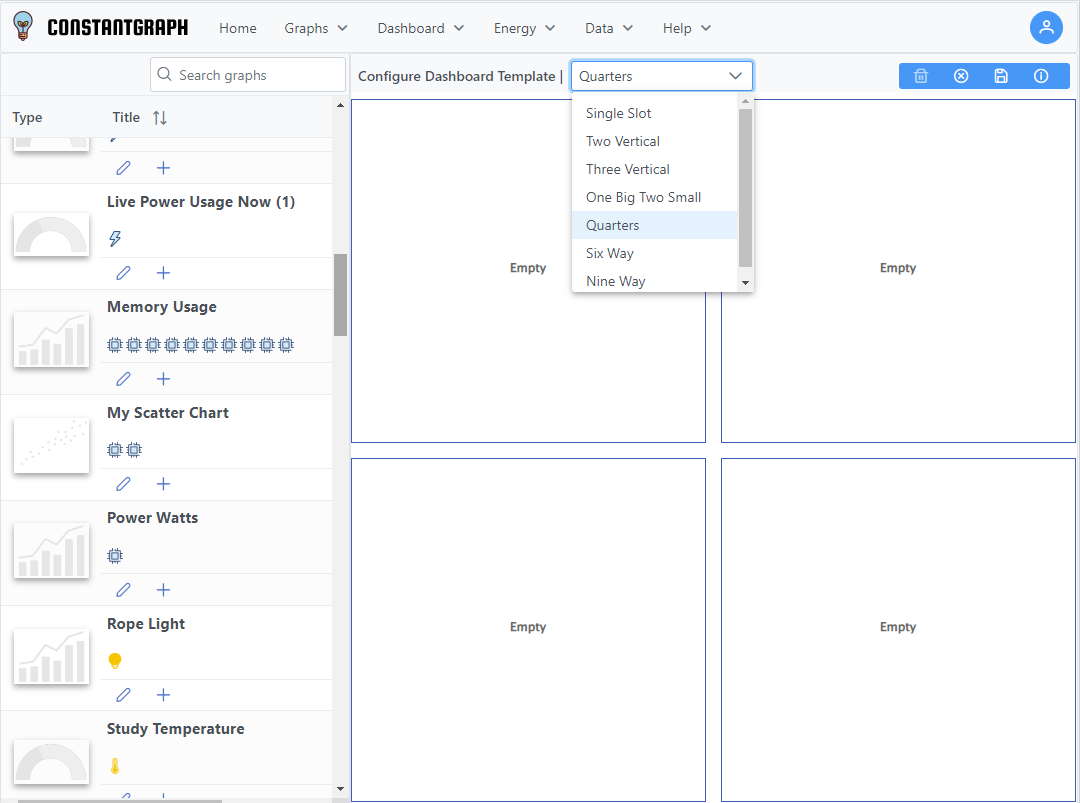
To build a dashboard use the Builder menu item. On the panel on the left will be a list of all of the previously defined graphs. Drag the graph icon onto the dashboard template to place it. The template can be changed via the drop down menu at the top of the page.
There are currently 7 dashboard templates available:
- Single Slot
- Two Vertical
- Three Vertical
- One Big, Two Small
- Quarters
- Six Way
- Nine Way
A list of your previously save graphs will appear on the left which you can drag into the slots available. Once saved, the dashboards can be viewed from the Dashboard > My Dashboards menu item.
Note that the drag and drop feature does not currently work on touch screen devices but you can still add a chart to the next empty slot