
The channel configuration allows channels to be updated with the following settings
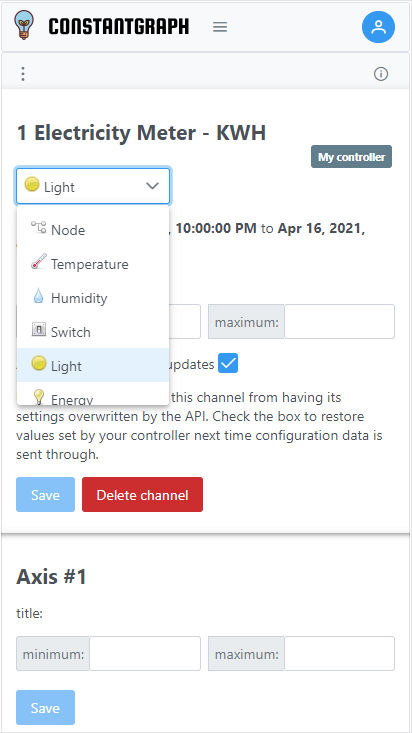
- Channel name - note that to maintain data integrity it is not possible to change the channel number
- Data Type - choose the data type most suited to your data, the icon will be shown on the channel menu
- Input filter - if enabled, API calls to update the selected channel will be ignored if they fall outside of the selected minimum and maximum range
- Allow API configuration - some API calls (such as the data call and config call). Unchecking the box will block any API call from overwriting the settings. Check the box to restore the original values next time the channel is updated.
The axis configuration allows chart axes to be updated with the following settings. The units that are used to display data can be fixed by setting the Data Type for the channel.
- Title - this is the name displayed on the chart axis
- Minimum - the number the chart axis will start from.
- Maximum - the number the chart axis will finish at.
Note that the actual start number may be rounded to suit the axis scale. The axis name which is displayed on the axis button cannot be changed.