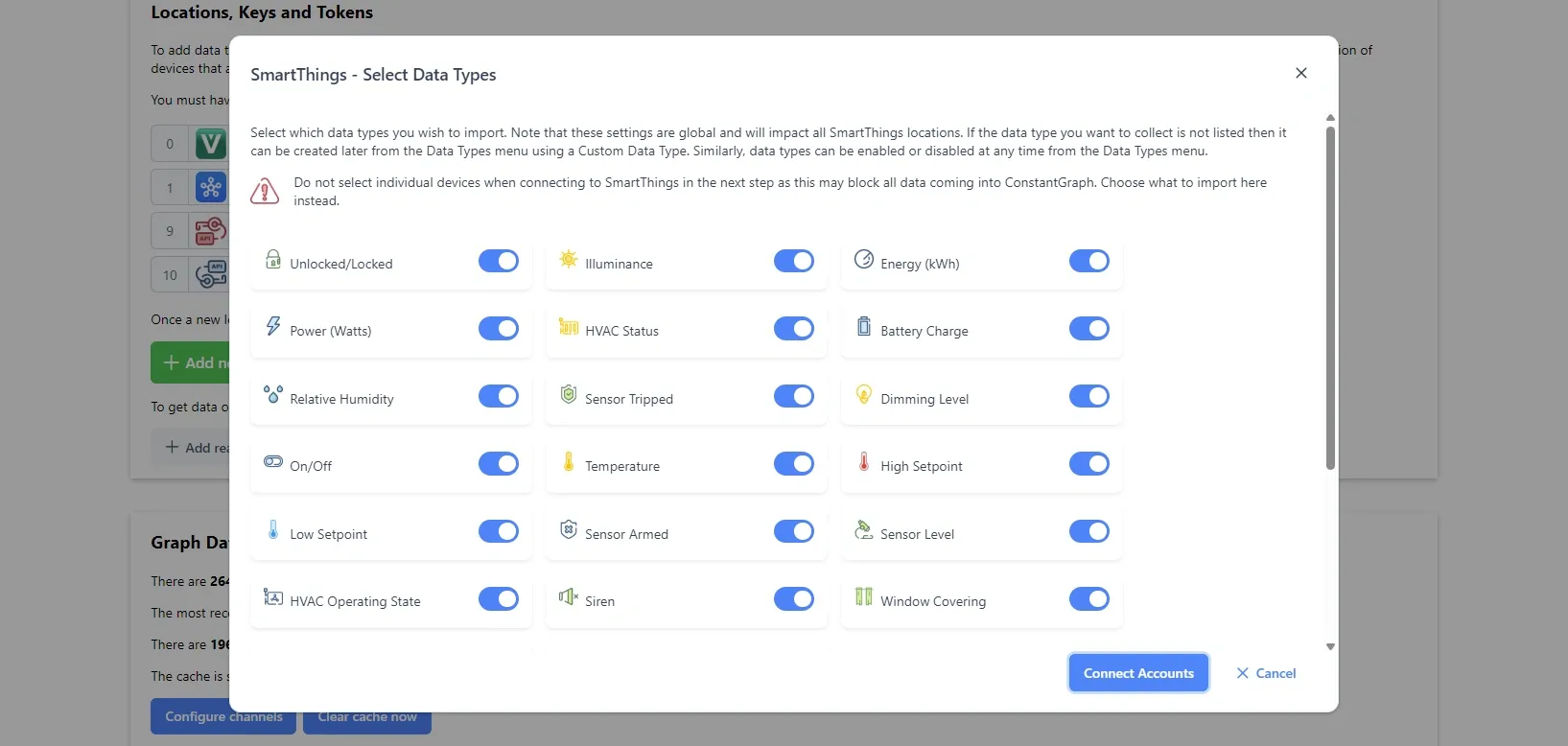
Data can be added to the system via the SmartThings platform. This is ideal if you already have your devices connected to SmartThings, either through a hub or one of the many integrations the platform offers.
SmartThings only collects data when something changes and this is how the data is recorded by ConstantGraph. There are two available options to connect.
- Add SmartThings Application - Use this option to link your ConstantGraph and SmartThings accounts (using an OAuth token). Clicking the button will take you to a SmartThings login page where you will be able to select which location you want to link to (recommended).
- Add SmartThings Personal Access Token - Since 30 December 2024 SmartThings Personal Access Tokens (PATs) are only valid for 24 hours making them unsuitable for use with ConstantGraph. If you have a valid PAT you can still enter it.
It is important not to change the selected permissions or select specific devices to import on the SmartThings screens as this can impact the way ConstantGraph collects data. If you want to limit the devices imported, you can disable unwanted devices in the channel configuration menu under Data > Channel Config.
You can select which capabilities are imported. Some capabilities are common and useful such as powerMeter or temperatureMeasurement and import directly. Others are not so useful and may not be imported such as polling and healthCheck. To control what gets imported ensure you have the correct data types selected. ConstantGraph should be able to pull in anything in the history tab on a specific device in the SmartThings app.